
Japanese Ramen Simulator upgrades are tied to Shop Level progression, earned money, equipment, staffing, restaurant expansion, and layout changes. The best early upgrade is the one that removes a bottleneck you can already observe: unsafe storage, slow dish recovery, crowded preparation, excessive walking, or one task that repeatedly stops service. Official sources confirm that new ingredients and equipment unlock as Shop Level rises, but they do not provide a complete public technology tree or universal purchase order. Use confirmed unlocks as milestones and judge everything else by the workflow of your own solo or co-op shop.
Scope note: This page lists confirmed progression systems and selected official v0.1.48.17626 unlocks. It does not claim to be a complete upgrade tree.
How Shop Progression Works
Official Steam material says that raising Shop Level unlocks new ingredients and equipment. Money earned during service can then be used to expand the shop, add menu options, and increase or improve seating and restaurant facilities.
Progression therefore has two gates: an unlock must be available, and the shop must be able to afford and use it. Reaching a level does not make every new purchase urgent. Check whether the unlocked item supports the menu, staffing, and space you currently have.
Shop Level
Shop Level is the clearest confirmed progression signal. The Day 1 update provides a few exact version-specific examples:
| Unlock | Confirmed Shop Level | Official source note |
|---|---|---|
| Cola, diet cola, soda, oolong tea, barley tea | 25 | Purchasing and customer orders |
| Bonito flakes | 25 | Purchasing |
| Green vegetables and chives | 26 | Purchasing or topping orders |
| Tantan sauce and chives | 26 | Purchasing |
| Chicken- or pork-soup tantan ramen orders | 26 | Customer order availability |
| Beef-soup tantan ramen orders | 28 | Customer order availability |
These details apply to v0.1.48.17626 and can change during Early Access. They do not establish the level for every earlier ingredient, workstation, employee, or expansion.
Confirmed Equipment and Facility Systems
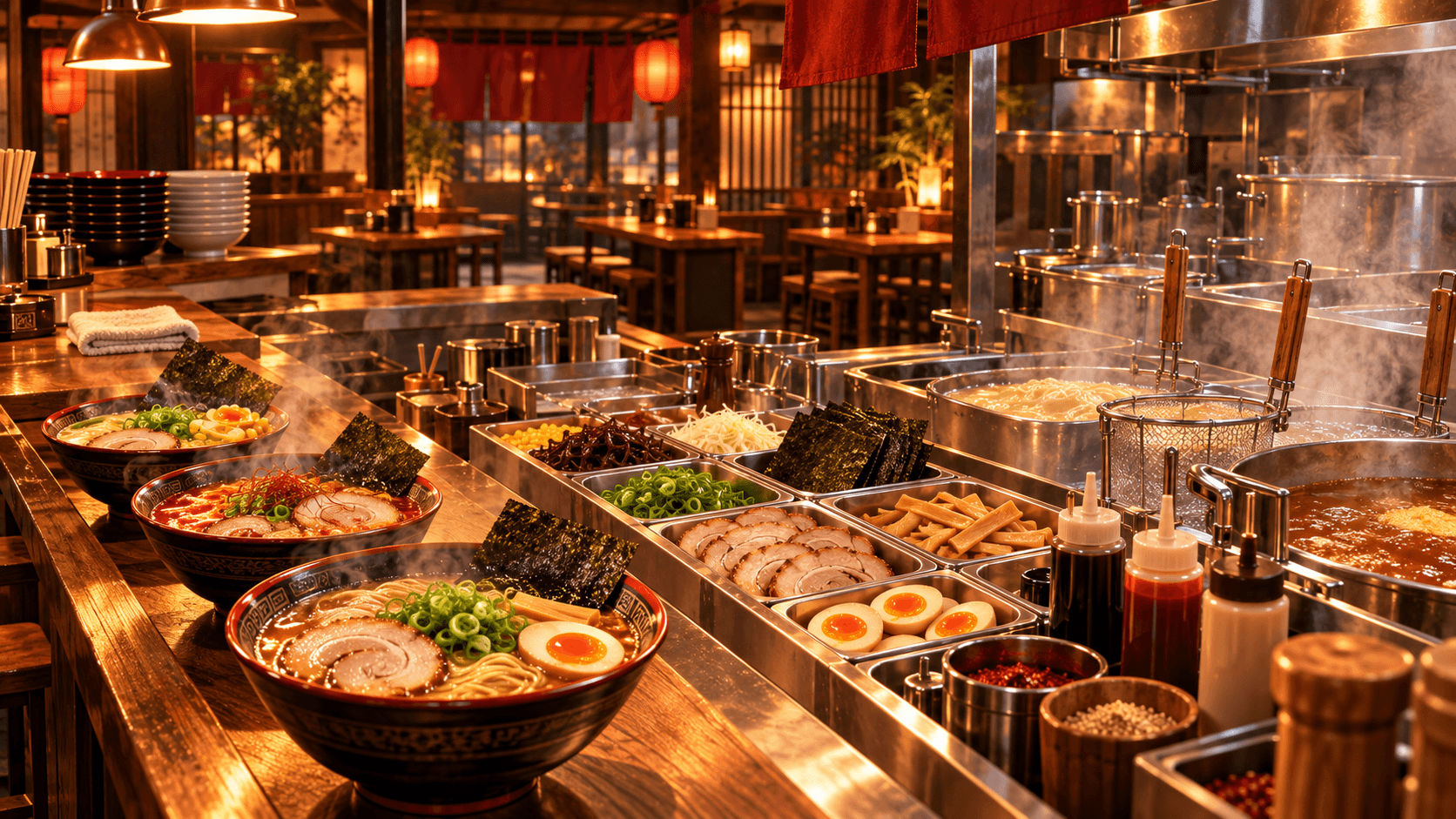
Steam and the official update notes confirm a broad equipment layer: cooking equipment, furniture, storage, decorations, refrigerators, cutting boards, dishwashers, beer equipment, a gyoza machine, a delivery cart, a food-service lift, signs, water equipment, and build-mode placement.
This confirms that equipment can change what the shop can produce or how it moves work. It does not confirm a numeric speed increase for every item. When comparing a purchase, ask which repeated action it shortens, which queue it clears, and whether the surrounding layout can use it.
Kitchen Upgrades
Prioritize the production chain from storage to service.
- Storage access: Food should move from delivery to refrigeration or station storage without blocking service.
- Preparation space: Cutting and topping areas need a stable, uncluttered surface.
- Cooking capacity: Add cooking equipment when the current station is continuously occupied, not merely because another unit is available.
- Dish recovery: Washing capacity matters when dirty tableware stops new orders from being served.
- Handoff space: Finished components and completed bowls need a visible place that does not mix active orders.
The Day 1 update adds a right-click fixing function for placed cutting boards and improves the dishwasher’s interaction with dirty dishes held by hand or on a tray. Those improvements can make existing equipment work better before another purchase is necessary.
For the cooking sequence that these stations support, see Recipes.
Shop Expansion and Layout
Expansion is officially confirmed, but bigger is not automatically faster. A larger shop can add production room or seating while also increasing travel. Expand when a clear capacity limit has been reached and preserve short routes between related stations.
Keep the customer path, delivery path, clean service path, and dirty-dish return as separate as the room allows. The food-service lift is also an officially referenced system; the Day 1 update improved its door behavior and item transport. If using multi-floor service, design the handoff points before relying on it during a rush.
The build system supports furniture, storage, decoration, signs, curtains, and custom “My Design” artwork. Those are real customization upgrades, but functional layout should come before visual polish when the shop is still struggling to complete orders.
Staffing and Automation
Steam confirms that part-time NPC employees can help a solo player operate the shop. The Day 1 update specifically confirms a clearing-and-dishwashing employee who collects tableware, trays, and empty drink bottles and uses a dedicated dishwasher setup.
No official source collected here provides a universal staff ranking or exact payback time. Hire when a repeated task prevents the owner from completing higher-attention work. Then test the worker’s path, station access, and waiting position before assuming the hire has solved the bottleneck.
In co-op, human players can divide the same work without fixed classes. The Co-op Guide offers role plans for different group sizes.
Early Priority Logic
Use a bottleneck test before every meaningful purchase:
| Question | If yes | If no |
|---|---|---|
| Is this station constantly waiting? | Improve the input or upstream station first | Do not add capacity yet |
| Is output piling up? | Fix the next handoff, service, or washing stage | Keep the current station |
| Is walking the main delay? | Move storage or equipment before buying more | Measure another problem |
| Is one solo task repeatedly abandoned? | Consider a relevant employee | Keep cash available |
| Is every current seat or station regularly used? | Evaluate expansion | Improve the existing room |
This logic avoids pretending that one upgrade order works for every difficulty, layout, or team size. Combine it with the Money Guide so an upgrade does not leave the shop unable to restock.
What to Delay
- Extra capacity for an idle station. It adds cost and clutter without clearing a queue.
- A wider menu before stable storage. More ingredient types increase receiving and organization work.
- Expansion before the current room is full. Longer paths can reduce throughput.
- Staff without a reachable workstation. Pathing and equipment placement still matter.
- Decoration while service basics are missing. Customize after food, checkout, and dishes move reliably.
- Purchases justified by an unverified ROI chart. Official sources do not provide exact returns for every upgrade.
Upgrade after observing a problem, not before. A small shop with clear stations can outperform a larger shop where every bowl, box, and dirty dish crosses the same lane.