
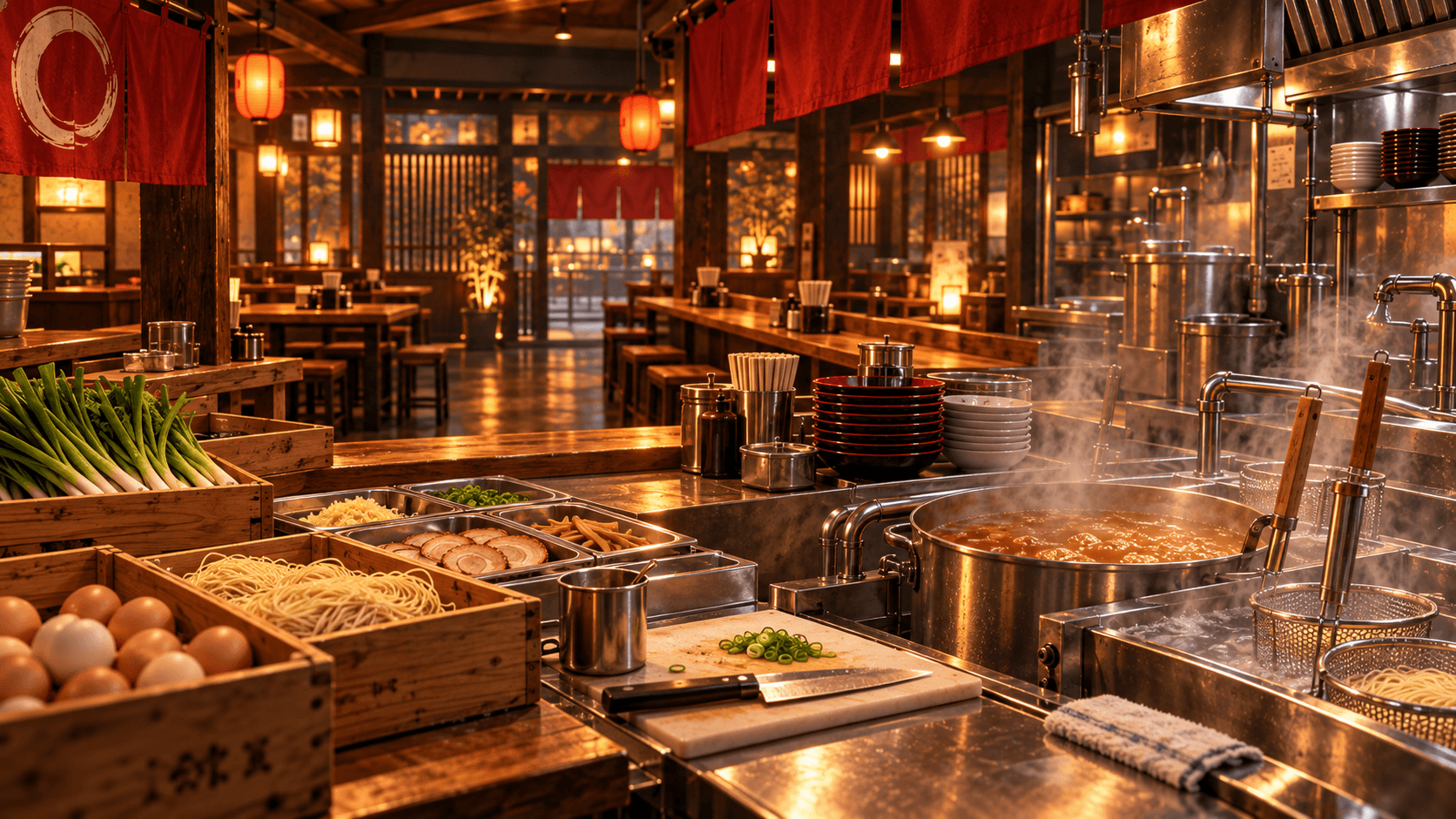
The safest way to make money in Japanese Ramen Simulator is to complete more correct customer orders while losing less cash to waste, idle stations, unnecessary purchases, and disruptive events. Customer checkout is the core repeatable income source shown in official and collected gameplay material. Prepare before opening, keep the menu within your current capacity, match orders accurately, serve without avoidable delays, and spend only when a purchase removes a repeated bottleneck. There is no verified best recipe margin, exact income-per-hour target, or universal return-on-investment table in the official sources used for this guide.
Strategy label: Official facts are identified below. Spending priorities and workflow recommendations are site strategy, not developer-stated optimal play.
Where Early Money Comes From
Customers order food and drinks, eat, and pay at checkout. That makes a completed, correct service loop the foundation of shop income. Official Steam information also confirms ramen, gyoza, rice-bowl dishes, and beer as available menu categories, but it does not publish a fixed profit margin for each item.
The v0.1.48.17626 update confirms that customer checkout amounts vary by difficulty. At that version, Easy pays 1.4 times the former amount, Normal pays 1.2 times, and Hard and Very Hard are unchanged, assuming the same order and evaluation. The same update added a cash bonus for completing the first Boss customer challenge. These are official balance details, not a promise of the fastest money method.
First-Day Spending Priorities
Do not spend from a generic shopping list. Watch one shift and identify what repeatedly stops a paying order from finishing.
| Bottleneck | Sensible first response | Why it protects cash flow |
|---|---|---|
| Food has no safe place | Add or reorganize storage | Prevents supplies from becoming clutter or being forgotten |
| Bowls wait for washing | Improve the dish route or relevant equipment | Returns tableware to service |
| Cooks cross the whole shop | Move storage and work surfaces | Shortens every order path |
| One task pulls the solo player away | Consider an unlocked employee | Keeps the owner on higher-attention work |
| Seats or production are consistently full | Evaluate expansion | Adds capacity only when current capacity is used |
Decoration and custom design are confirmed features, but they do not automatically solve an operational bottleneck. Buy them when the essential food, service, storage, and cleaning loop is already stable.
Avoid Ingredient Waste
Every unnecessary purchase uses money before it creates a sale. Build orders from current stock and the menu you can serve, not from a desire to own every unlocked ingredient.
- Check refrigerator and station stock before purchasing.
- Order for the next service window rather than an unknown future demand.
- Receive boxes immediately and refrigerate marked items.
- Prepare smaller quantities until actual demand is clear.
- Keep active toppings near assembly and reserve stock in storage.
- Avoid making finished bowls that have no customer order.
The ingredients guide lists supplies confirmed by current sources and explains which storage facts come from the official Day 1 update.
Improve Customer Throughput
Throughput means turning an order into a correct, paid service without unnecessary waiting. It is not the same as starting the largest possible number of bowls.
Keep the order visible, give each active bowl a clear place, and reset the station after service. If the team regularly searches for bowls, toppings, clean dishes, or the correct customer, reorganize before purchasing more menu options.
Official Steam material confirms that noodle doneness, soup temperature, aroma, umami, plating, and service time matter. Accuracy and flow therefore work together: rushing the wrong bowl is not useful throughput. Review the basic sequence in the Beginner Guide.
Kitchen Workflow and Profit
The best early layout is the one that reduces repeated travel while keeping clean and dirty routes separate. Put refrigerated reserve stock near preparation, active toppings near assembly, finished bowls near the service path, and dirty-dish return near washing without crossing finished food.
In co-op, assign ownership so two players do not buy the same supply or cook duplicate noodles. In solo play, group tasks: restock during calm periods, then focus on the complete order loop during service. These are practical recommendations based on the confirmed physical workflow, not a hidden income multiplier.
Protect the Register and the Shop
Steam officially confirms thieves and fires as service events. A thief can target register money, while fires can threaten the shop and equipment. Keep the route to the register, shuriken or kunai storage, and fire extinguisher clear enough to respond without dismantling the kitchen.
Player reports suggest these events can be especially disruptive in solo play. The sources do not confirm a setting that disables them, so treat event access as part of the layout. Money saved from preventing a loss is as useful as money earned from one more order.
The official description also mentions gambling as an optional activity. No reliable source in this project establishes it as a positive expected-value strategy. Do not use operating cash needed for food or equipment if you choose to engage with that system.
When Expansion Makes Sense
Steam confirms that Shop Level unlocks new ingredients and equipment, and that earned money can expand the restaurant and improve menus and seating. Expansion makes sense when current capacity is consistently used and the shop has enough cash to keep buying essential supplies afterward.
Expand for a specific reason: more production room, safer storage, clearer customer flow, more seating, or a new confirmed menu system the team can support. If current stations are idle or disorganized, a larger room can simply spread the same delays over a longer walking distance.
Use the Upgrades Guide to compare confirmed progression systems without relying on an invented technology tree.
Solo Efficiency
A solo owner must prepare, cook, serve, clean, purchase, and respond to events. Officially, NPC part-time workers can be hired to help. The Day 1 update specifically adds a worker who clears tableware and washes dishes, including handling trays and empty drink bottles through a dedicated station.
Hire against the task that most often breaks your service loop. Then place the employee’s equipment and waiting area so the worker can actually reach it. The official notes confirm that the clearing employee’s waiting position is shown during placement, which makes layout part of the hiring decision.
Mistakes That Reduce Income
- Overbuying. Cash sits in boxes or food that the current menu does not need.
- Ignoring refrigeration. Supplies remain in the delivery area instead of protected storage.
- Preparing without an order. Finished food waits while quality and clarity suffer.
- Serving the wrong bowl. Ingredients and time are consumed without completing the intended order.
- Expanding too early. More space increases walking before the current shop reaches capacity.
- Hiring without a usable station. An employee cannot solve a blocked route or missing equipment.
- Blocking event tools. Thieves or fire can cause losses while the player searches for a response.
- Treating unverified profit charts as facts. Early Access balance changes, and the official sources do not publish exact recipe ROI.
The dependable money plan is simple: prepare deliberately, finish accurate orders, protect supplies and cash, then reinvest in the bottleneck you can observe.