
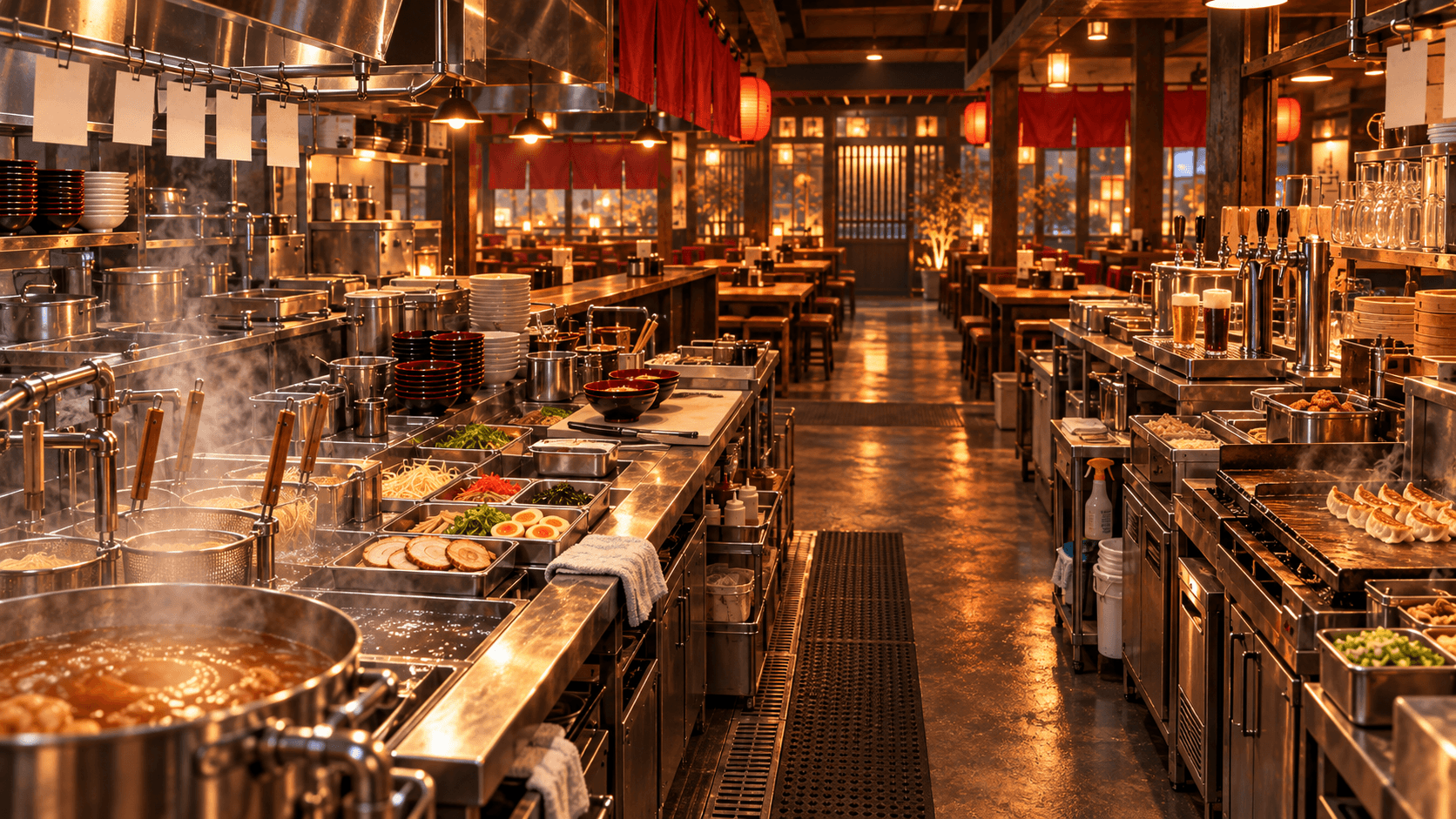
Japanese Ramen Simulator co-op supports up to six online players working in the same ramen shop. Officially, the team can divide ingredient preparation, cooking, serving, customer care, and cleanup, while built-in spatial voice chat changes how voices sound with distance and walls. The game does not impose the job chart below; it is a practical site strategy for keeping players from duplicating orders or blocking one another. Start with broad roles in a small group, split busy stations as more friends join, and agree on short callouts for new orders, low stock, finished components, dirty dishes, and unexpected events.
Important distinction: “Official” sections describe documented features. Role assignments and layout recommendations are strategy suggestions based on the confirmed workflow.
Officially Confirmed Multiplayer Features
- Online co-op supports up to six players.
- Players can divide preparation, cooking, serving, customer care, and cleanup.
- The game includes spatial voice chat; distance and walls affect how voices are heard.
- Store design, kitchen layout, menu development, physical plating, and business events remain part of multiplayer play.
- The Day 1 update references invitation-code room search, joining an in-progress multiplayer game, mute controls, and push-to-talk settings.
The update also fixed multiplayer-specific behavior for beer-machine doors, the gyoza-machine lid, and items moved by the food-service lift. Early Access multiplayer can change, so treat current in-game prompts and official patch notes as more authoritative than an old lobby tutorial.
Suggested Roles for 2–6 Players
These are flexible starting points, not official classes.
| Players | Suggested division |
|---|---|
| 2 | Player A handles orders, toppings, service, and checkout; Player B handles soup, noodles, and core cooking. Share restocking and dishes between rushes. |
| 3 | Add a preparation and support role for toppings, restocking, dishes, and event response. |
| 4 | Separate front-of-house service from toppings and final assembly; keep dedicated soup and noodle ownership. |
| 5 | Add a dedicated stock and cleaning player who receives boxes, refills stations, clears tables, and supports events. |
| 6 | Split front of house, soup, noodles, toppings and assembly, stock and purchasing, and clearing and dishes. Rotate only when the queue is controlled. |
The best division depends on the current menu and layout. If gyoza, drinks, or rice bowls are active, one support player may need to own side dishes instead of cleaning full-time.
Orders and Customer Service
Choose one player to control the order queue and communicate it to the kitchen. That person should identify the customer, soup or sauce, toppings, and any side item before the cooks start. If everyone accepts and calls orders independently, duplicate noodles and mixed bowls become likely.
Use short, consistent callouts: order number or seat, base, topping set, and side item. The front-of-house player should confirm the finished bowl before taking it away. For the complete first-session flow, see the Beginner Guide.
Broth and Noodles
Soup and noodles are separate responsibilities in a larger team because both require attention and feed the same bowl. The soup player watches batch readiness and remaining volume. The noodle player starts, drains, and hands off noodles for a specific order.
Announce starts and finishes. “Noodles started for order three” and “order three noodles ready” are more useful than “done,” especially when several players are holding ingredients. The Recipes Guide explains the confirmed cooking factors without using unverified exact timers.
Toppings and Serving
Final assembly should have one owner during a rush. That player receives the bowl, checks the requested toppings, arranges them, and places the completed order in a known service position. Physical topping placement is an official feature, so several players reaching into the same bowl can create mistakes even when everyone intends to help.
Keep incomplete and complete bowls on different surfaces. The server should take only from the completed area and should call out when a bowl leaves, preventing a second player from serving or modifying it.
Cleaning and Dish Handling
Dirty dishes can stop service even when cooking is fast. Use one return point for bowls, cups, and trays, then move clean tableware back to a predictable station. A support player can combine clearing, washing, trash, and water when demand is moderate.
The official Day 1 update confirms a clearing-and-dishwashing NPC employee and improves how dirty tableware is placed into a dishwasher. A co-op team can still assign a human to supervise this flow, especially when the return area is full or side dishes create more trays.
Purchasing and Restocking
Only one player should finalize routine purchases unless the team explicitly splits a list. The stock player checks current supplies, orders missing items, receives boxes, refrigerates marked food, discards packaging, and refills active stations.
Tell cooks before a supply reaches zero. A soup pot or topping station that runs out in the middle of an order creates more confusion than a short restock during a calm period. Do not leave delivered boxes in the customer lane.
Shop Layout Considerations
Design for ownership and handoff:
- Give soup and noodles enough room to work without crossing.
- Put toppings between cooking and the completed-order surface.
- Keep front-of-house access to finished bowls clear.
- Place reserve ingredients behind or beside the stock role, not in the service lane.
- Return dirty dishes through a separate route where possible.
- Keep access to the register and emergency tools open for thieves or fires.
Spatial voice chat makes proximity useful, but walls and distance can reduce clarity. Place linked roles close enough for natural communication, or use concise callouts when the shop expands.
Communication Tips
Use names that describe state rather than emotion: “waiting for noodles,” “needs nori,” “ready to serve,” “fridge restocked,” and “dish area full.” Repeat the order identifier whenever a component changes hands.
Decide before opening who can change the layout, spend shop money, or add menu items. That prevents a player from moving a workstation or using operating cash while another person is depending on it.
Joining, Invites, and Connection Notes
Official Day 1 notes confirm invitation-code room search and say the game now automatically searches again when a room is temporarily not found. They also confirm fixes for joining in progress, closing the join screen, voice mute, and push-to-talk settings.
The collected official sources do not document a stable step-by-step lobby menu path, so this guide does not invent one. Follow the current multiplayer interface and share the invitation information it provides. If an error occurs, read the displayed cause, recommended response, and error code; the Day 1 update specifically improved those messages.
Some players reported connection timeouts at launch, including messages about VPN use even when they said no VPN was active. That is player-reported, not a confirmed universal cause or fix. Record the code, restart the join attempt after checking the current official notes, and use the official Discord or Steam Community for version-specific support rather than applying an unrelated workaround as fact.